

Create an API key in Level
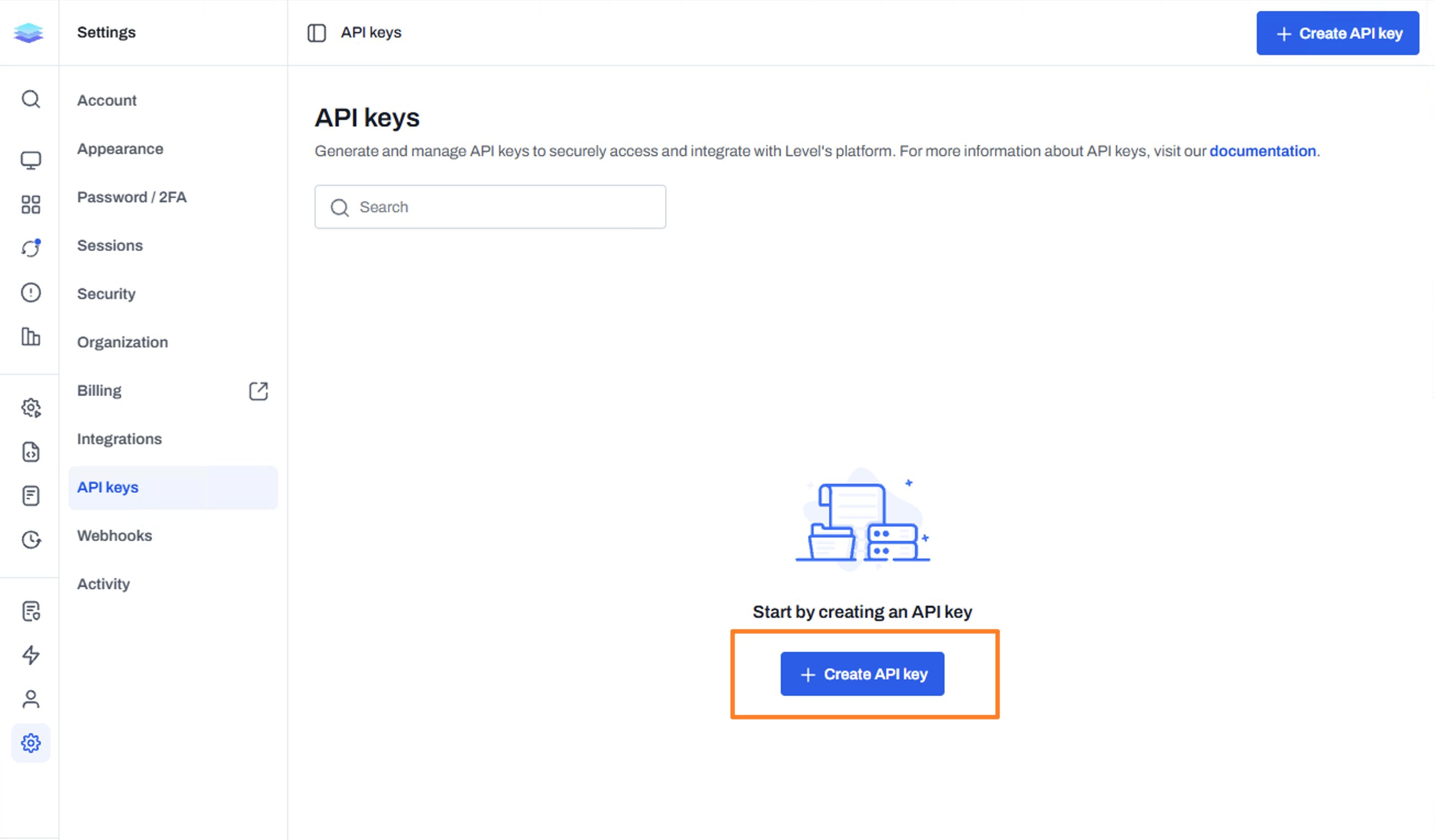
- In Level, open the sidebar and go to Settings → API keys. If you’re already signed in, you can also open API keys.
- Click Create API key.
- Add a description you’ll recognize later, such as
MSPilot. Select Read-only, then click Create key.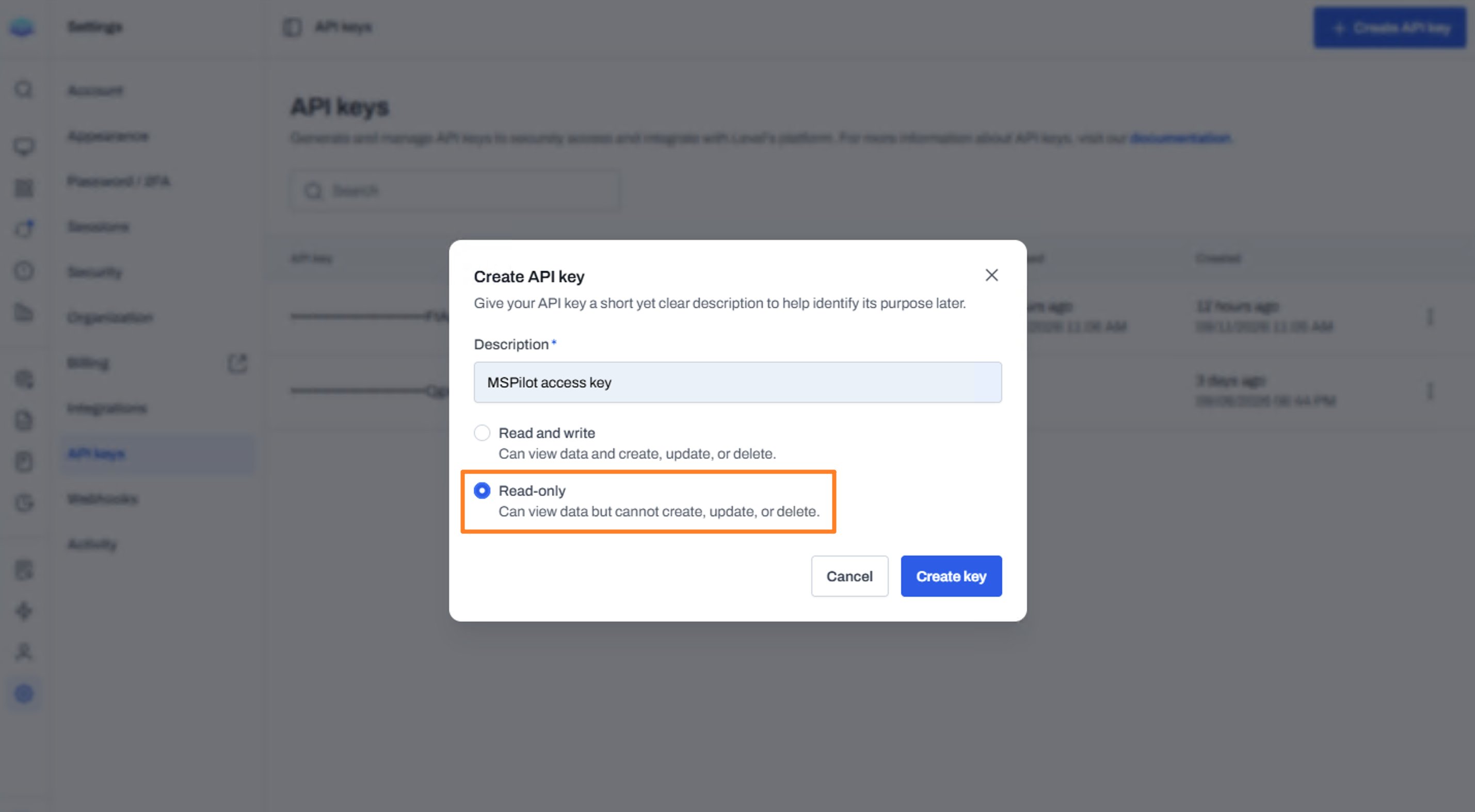
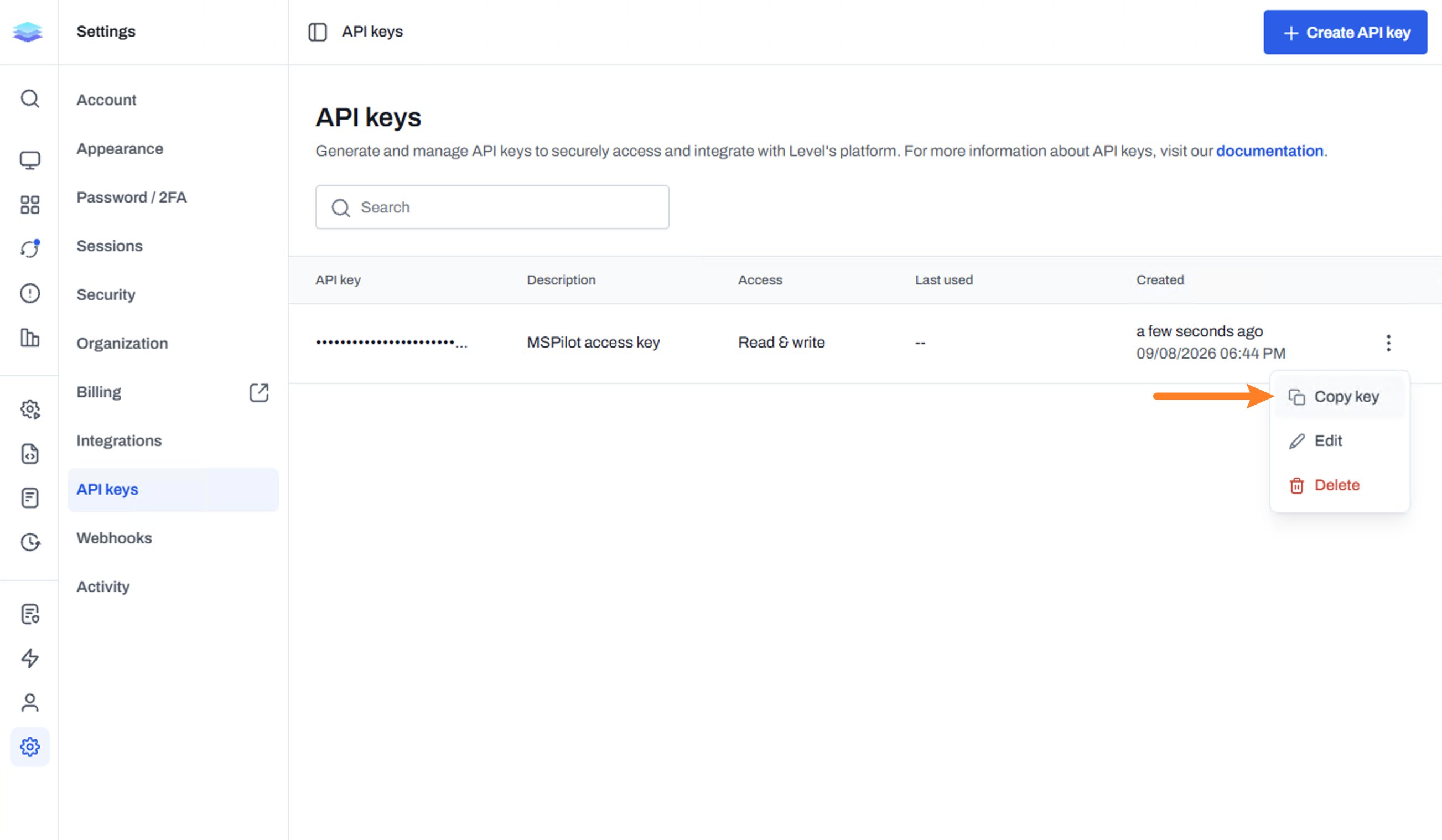
- Copy the key.
Connect Level
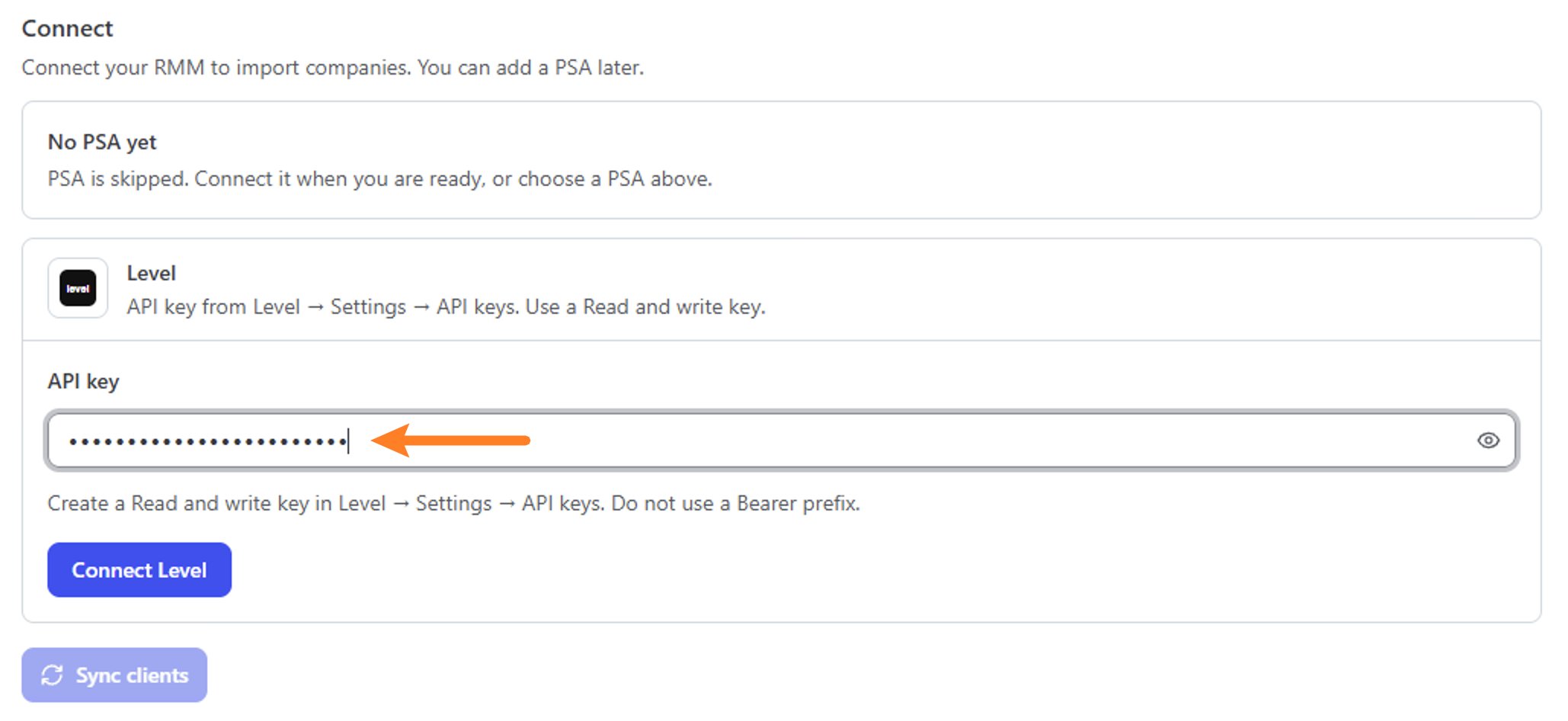
- In MSPilot, open Integrations and choose Level.
- Paste the key into API key.
- Click Connect Level.
After you connect
MSPilot starts syncing computers from Level.- If you skipped a PSA, top-level Level groups are imported as clients first. Computers then land in those clients.
- If clients already came from a PSA, map each top-level Level group to a client so devices go to the right client.
Install the agent
Connecting syncs computers. It does not install the agent.Windows
On the client, open Deployment. Under AI applications, tick the apps to install, then choose Copy script (mspilot-level-deploy.ps1). The copy is a short launcher: replace any older MSPilot script saved in Level once. In Level, save it as MSPilot install and enroll, run as Local system, with a timeout of 5400 seconds. Select the Windows devices, run it, and Approve. When Claude Desktop is included, keep a user signed in during the run, and restart Windows if the job reports reboot_required=true. You do not schedule a pull job; the agent schedules its own. See Install.
macOS
On the client, open Deployment, pick macOS, and choose Copy script. In Level, create a new script. Only change these fields:
Save the script. Select the Apple Silicon Macs (macOS 12 or later), run it, and Approve. It runs as root, so nobody needs to be signed in. The signed-in user’s AI apps are configured right away; other users at their next sign-in, then every 3 minutes. You can schedule the same script daily; running it again is a safe repair. You do not schedule a pull job in your RMM; the agent runs its own config pull for each user at sign-in and every 3 minutes. What success and each exit code look like: macOS.